
How to Integrate Stripe with Innovorise
By connecting your Stripe account, you can allow customers to pay for products using a Stripe Integration. This page will walk you through the steps to connect Innovorise and your Stripe Account.
Covered in this Article:
Prerequisites
Integrate your Stripe Account and Innovorise
Prerequisites
You will need access to your Stripe Account
Integrate your Stripe Account and Innovorise
In a New Tab open Innovorise ensuring you keep your Stripe Tab Open as well you will need this to complete the process.
Once you are logged in -
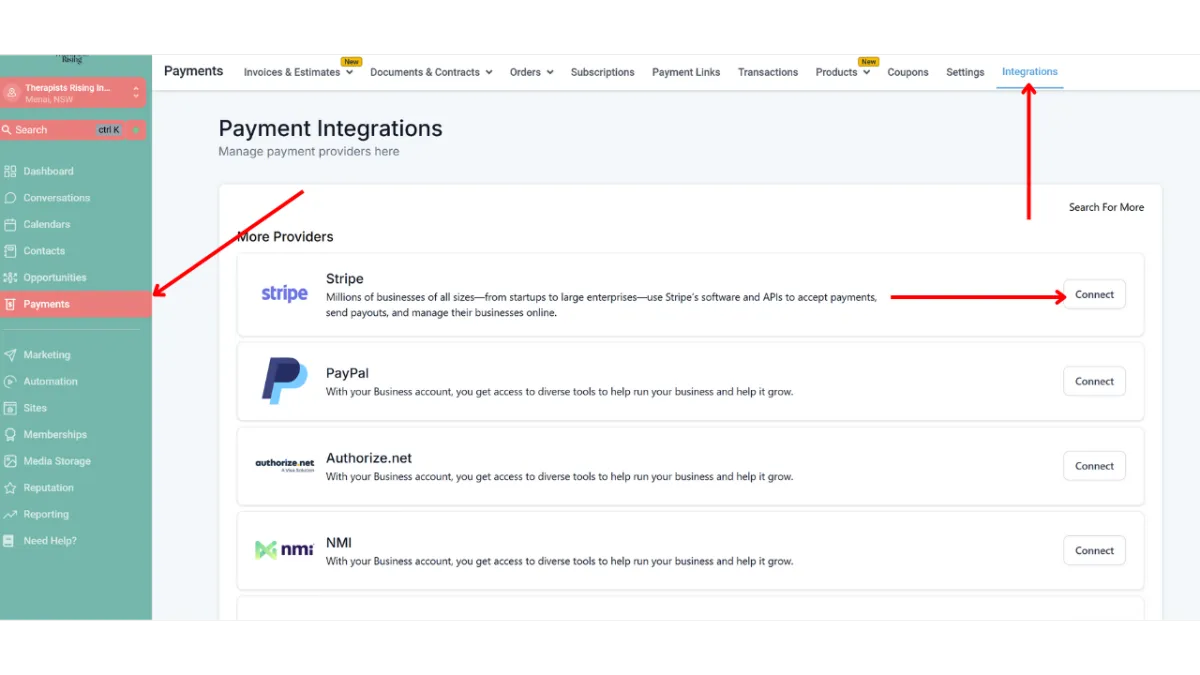
Click Payments in the Left Hand Menu
Then Click Integrations in the Header
Then Click the Connect Button in the Stripe row
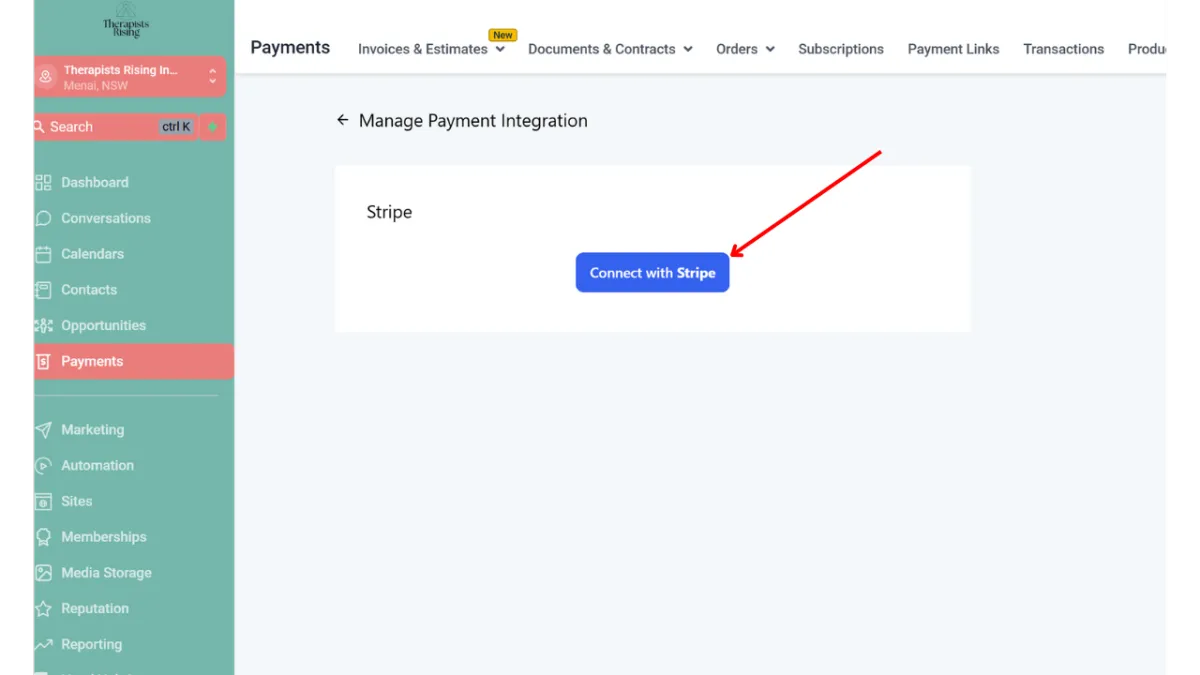
Click the Connect with Stripe Button
You will then have a new tab opened where you will be asked
To log in to your account
Select which account you want to integrate with Innovorise
Accept the Terms and Conditions
Once you complete these steps the new tab will be closed and your Stripe account will be Integrated with Innovorise.