
How to Set Up Automatic Taxes for Fast Payment Links
TABLE OF CONTENTS
What’s New?
Note
How to Use it
Business user's can now have automatic taxes applied while checkout at Payment Links for end customers in USA
What’s New?
Business users now have the capability to configure and apply automatic taxes on Payment Links
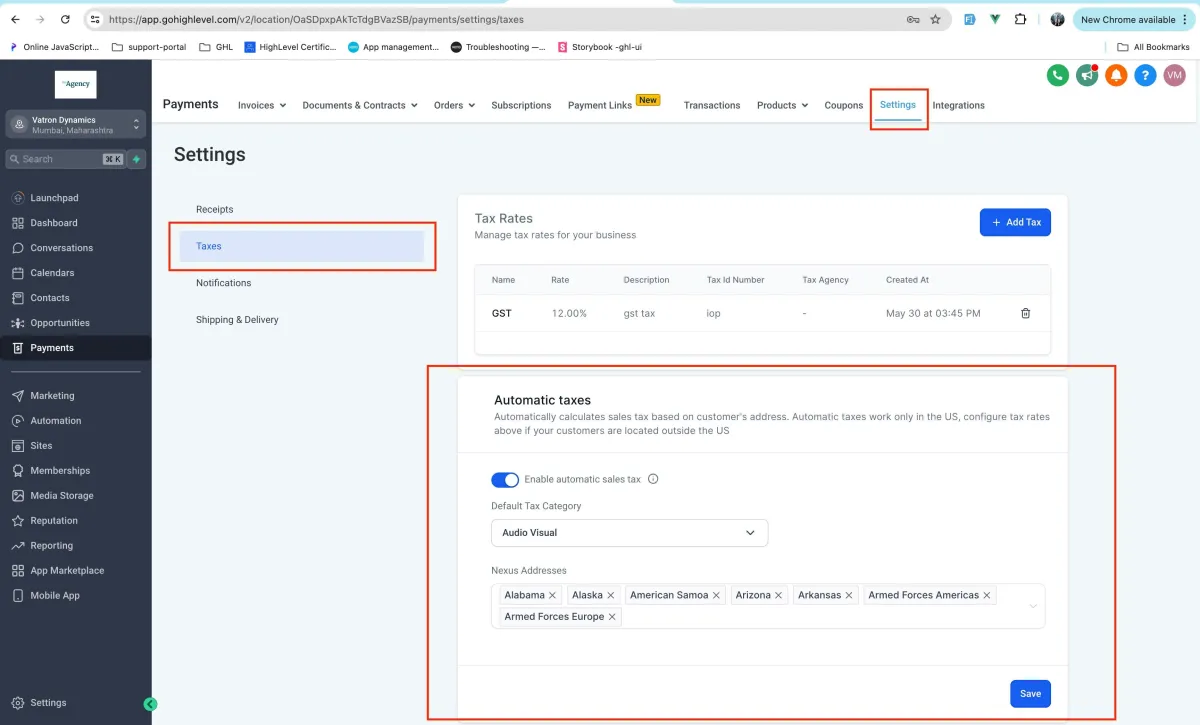
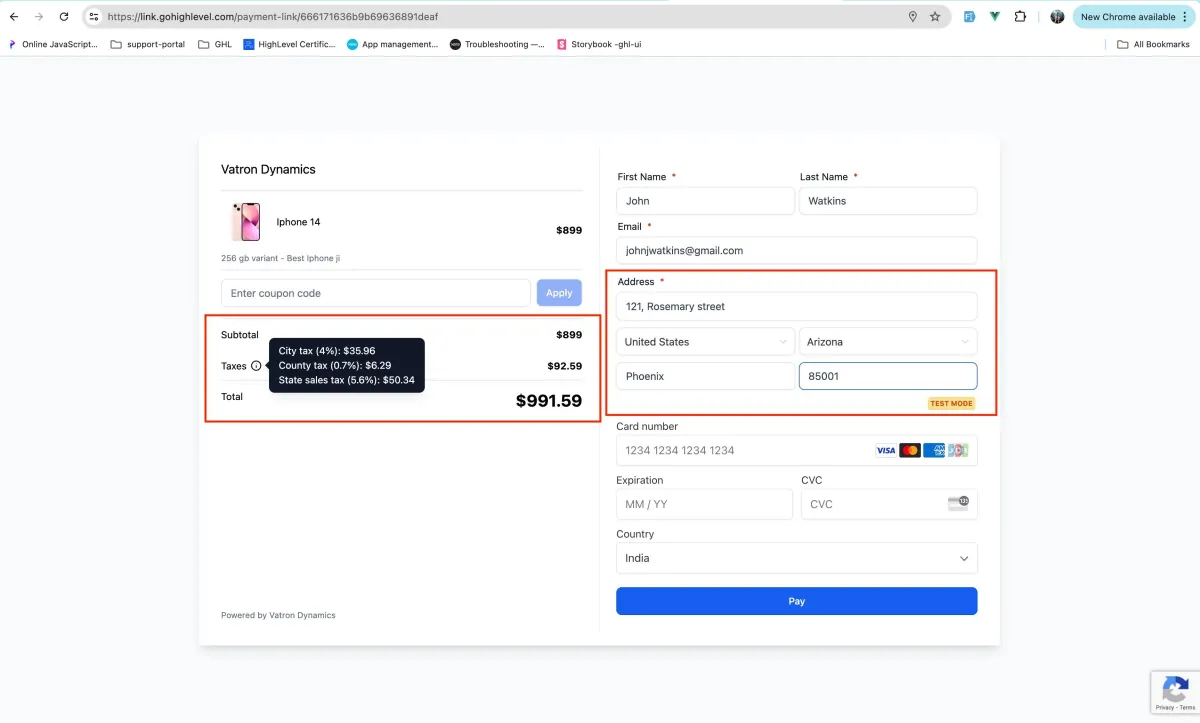
If configured in the Settings inside Payments -> Taxes, at the time of checkout automatic taxes would be applied on product
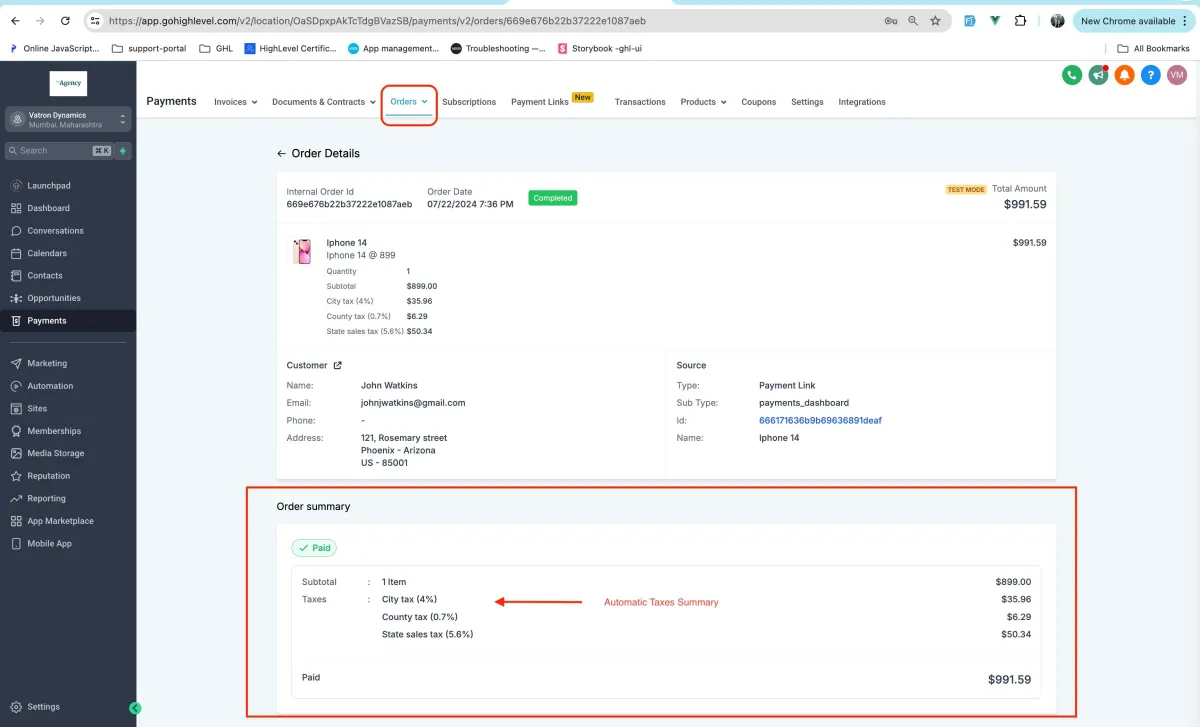
Automatic taxes would be applied to subsequent transactions also for recurring products
The payment link must capture customer address in order for automatic taxes to reflect.
The scope of this feature in Payment Links covers both -one time products, recurring products
Note
Automatic taxes are available only for customers entering in valid US Address.
Automatic Taxes would also be applied to recurring products bought via Payment Links.
Feature would be usable across already created payment links also!
How to Use it
Go to Payments -> Settings - > Taxes!
Enable Automatic Taxes -> Enter in all the details required
Go to any live Payment Link via preview or Copy Link Option -> Enter in US
Address details and voila automatic taxes would be applied!